
How AutoChef Reduces Rework by Catching Process Deviations Earlier
Rework often begins long before a batch reaches final inspection. See how AutoChef uses recipe-driven control, required quality checks, operator guidance, and batch records to catch process deviations earlier and improve consistency.
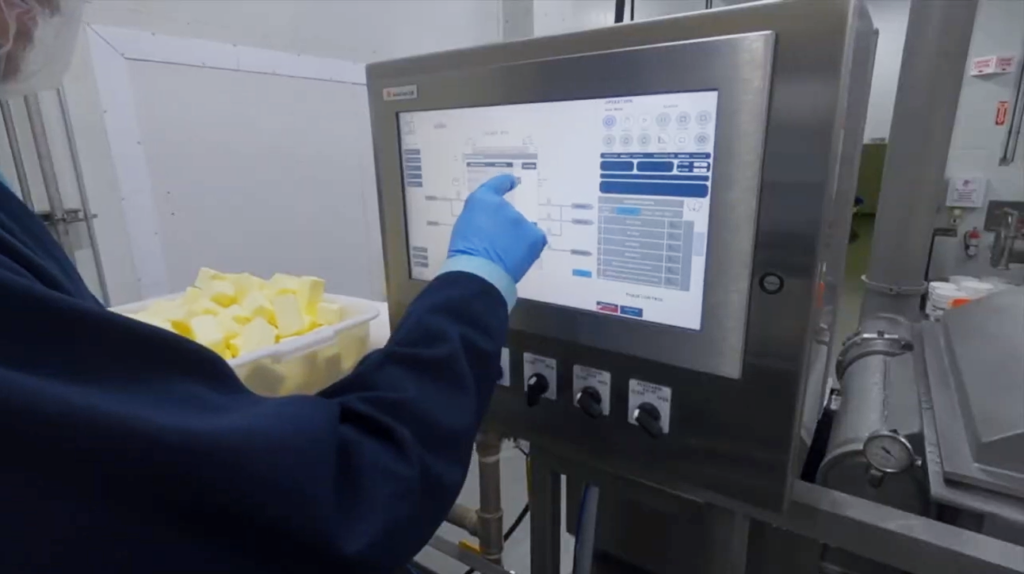
Rework may not get discovered until the end of a batch, but it starts early: the wrong recipe version is selected, an ingredient is added twice or skipped, a cook step runs too long, an agitator uses the wrong speed, or a required quality check is missed. Once that variation reaches the finished product, the team may need to adjust, recook, reblend, repackage, downgrade, or discard the batch.
The cost is not limited to the ingredients. Rework also consumes labor, utilities, line time, packaging, and production capacity that should have gone to the next order.
Why Rework Matters More Now
Tight beef supply and persistent labor scarcity are pushing meat and poultry processors to prioritize yield, stable throughput, and automation. A recent PMMI/OEM Magazine industry report notes that capital is moving toward equipment that protects yield, stabilizes production, and removes hard-to-staff work.
Preventing an avoidable batch loss belongs in that same conversation. When raw materials are expensive and teams are already stretched, consistency is a yield strategy.
Control the Process, Not Just the Equipment
AutoChef® turns an approved recipe into a structured production workflow. It connects ingredient additions, timing, temperature, agitation, equipment actions, operator prompts, quality checks, alarms, and approvals so the process is controlled as a sequence rather than as a collection of separate tasks.
That distinction matters. A written recipe tells an operator what should happen. A recipe-driven control system helps make sure it does happen, in the correct order and within the approved limits.

Run the Approved Recipe Every Time
AutoChef stores the process settings, instructions, and required checks associated with each recipe. Role-based controls help protect approved settings from unplanned changes, while guided execution reduces differences between operators and shifts.
When multiple systems or facilities make the same product, ARTIS can add centralized recipe management, version control, approvals, and deployment. The production team works from a defined source of truth instead of relying on printed instructions, copied files, or changes passed along verbally.
Catch Deviations While the Batch Can Still Be Corrected
AutoChef follows the live process against the recipe steps, limits, and expected timing. Depending on the instrumentation and controls configured for the system, the workflow can identify or require action when:
- An ingredient addition falls outside its weight tolerance
- A temperature target is not reached within the expected time
- A process step runs longer than planned
- A required pH, viscosity, temperature, or other QA check falls outside the approved range
- An operator attempts to advance without completing a required confirmation
Instead of allowing an out-of-range value to disappear into a paper record, the system can require corrective action and record what happened. Earlier visibility gives the team a chance to respond while the product is still in the machine, before the deviation becomes a packaging problem or a rejected batch.
Prevent Simple Mistakes With Expensive Consequences
Many batch losses are caused by ordinary mistakes under pressure: an ingredient is missed or added twice, a setting is changed incorrectly, steps happen out of sequence, or product is discharged too early.
When configured with load cells, barcode or QR scanning, automated valves, and equipment interlocks, AutoChef can help confirm additions, capture ingredient lots, and block actions that are incompatible with the current step. The specific safeguards depend on the process and equipment, but the principle is the same: prevent an error before it becomes product loss.
Reduce Cognitive Load Without Removing Human Judgment
Operators may be managing several batches, machines, and timers at once. Keeping every sequence and setting in working memory creates more opportunities for a small distraction to become a quality problem.
Guided prompts, automatic timing, and controlled equipment actions take care of the repeatable details. Operators still make the decisions that require human expertise, including sensory checks, adjustments, and final quality judgment, but they do not have to carry the entire process in their heads.
This is especially valuable when experienced labor is difficult to find. New employees can follow a validated workflow while they build process knowledge, reducing the number of early training errors and the amount of constant supervision required.
Use Batch History to Prevent the Same Rework From Happening Again
AutoChef creates a detailed production record from the recipe version, process values, operator actions, quality checks, alarms, and deviations captured during the batch. When something goes wrong, the team can review what actually happened instead of relying on memory or reconstructing the process from incomplete notes.
ARTIS® extends that record with batch comparison, recipe-step analysis, trends, and deviation reporting. The distinction matters: AutoChef controls and records the batch; ARTIS helps teams compare performance across batches and improve the process over time.
What Reduced Rework Looks Like in Practice

Hanssens Catering prepares roughly 60,000 fresh school meals each morning across three production sites, with only a tight production window before delivery. A failed batch cannot simply be remade later.
After implementing AutoChef and ARTIS, Hanssens reported a 33% reduction in quality defects during the first year. New operators also recorded zero quality complaints within their first 60 days on the system. The Hanssens Catering case study shows how structured recipes, required checks, and clearer production data can protect consistency while reducing the pressure placed on individual operators.
No single result represents every plant, but the operating lesson is broadly useful. Better control reduces the number of opportunities for variation to become rework.
Reduce Rework at the Source
Rework is often treated as a QA problem or a staffing problem, when it can be an easily solved process-control problem.
If the same deviations keep returning, look for the point where variation enters the batch: recipe versions, manual additions, sequencing, timing, equipment settings, required checks, or missing production data. AutoChef makes those points more controlled, visible, and repeatable so problems can be prevented or corrected before the product reaches the point of no return.
AutoChef can be incorporated into a new processing system or applied as part of an automation retrofit. Talk to Blentech about where rework enters your process and which controls, checks, or data could help stop it earlier.